EVENTS & BOOKING
Online booking and event registration, set up for your business
Media Lifeline Pro lets customers book estimates, consultations and event spots straight from your website or a text link. Confirmations and text reminders go out automatically, RSVPs and check-ins are saved to each contact, and a follow-up is sent after every event. RBA Marketing and Media, an authorized Media Lifeline Pro partner in Sevierville, Tennessee, sets it up around your real working hours.
Book Your DemoThe short version
- Customers book from your website or a text link — no phone tag.
- Four automatic messages: confirmation, day-before, hour-before, thank-you.
- Free RSVP events or paid tickets, with capacity limits and an attendee list.
- Included in Media Lifeline Pro at $297/mo; RBA sets it up in two weeks.
Media Lifeline Pro is an all-in-one CRM and marketing platform made by Media Lifeline. RBA Marketing and Media is an authorized partner that sets it up and supports it in East Tennessee.
WHAT YOU GET
What Media Lifeline Pro booking does
Booking straight from your website.
Media Lifeline Pro's booking calendar shows real availability, your working hours, your buffer times, and your blackout dates. A customer picks a slot and it's on your calendar before you've put the phone down. RBA configures the calendars and services during setup.
Confirmations and reminders sent automatically.
Booked sends an instant confirmation. The day before sends a reminder text. An hour before sends a nudge. Every message is editable, and RBA writes the reminder copy around your appointments.
Run real events, not just appointments.
Open houses, grand openings, seasonal sales, workshops, and community nights get their own registration page, RSVP tracking, and attendee list in Media Lifeline Pro. Run free RSVP events or sell paid tickets. Capacity limits keep things organized.
Attendance tracked without a clipboard.
Every RSVP and check-in is written to that person's contact record, so your follow-up knows who actually showed up. No sign-in sheet, no manual data entry after the event.
Follow up while it's still warm.
Media Lifeline Pro sends an automatic thank-you after the event with a next step — book a consultation, claim the offer, or leave a review. The follow-up fires off customer behavior, not the calendar.
Multiple team calendars.
Route bookings by service type or by crew, so nobody gets double-booked. Each team member gets their own calendar inside the same system. Booking works across multiple time zones.
AUTOMATIC REMINDERS
The exact reminder schedule
Media Lifeline Pro sends each message below automatically. Every message is editable, and RBA writes the copy around your appointments during setup.
- 1
Booked
Instant confirmation email and text with the appointment details.
- 2
Day before
Reminder text so the appointment stays top of mind.
- 3
Hour before
Final nudge with any prep instructions or directions.
- 4
After
Thank-you follow-up with a next step (book, review, or claim an offer).
Reminder timing is customizable — add, remove, or shift any message to fit how your business actually runs.
WHAT IT REPLACES
What Media Lifeline Pro booking replaces
| Before | With Media Lifeline Pro |
|---|---|
Scheduling Phone tag and a paper calendar | One online calendar, booked by the customer |
Reminders Manual reminder calls you forget to make | Automatic text + email reminders |
Events A sign-in sheet on a clipboard | Registration page with RSVP tracking |
Follow-up None — you move on to the next job | Automatic thank-you with a next step |
Records No record of who attended | Every attendee written to their contact record |
Tools A separate scheduling subscription | Built in — one login, one bill |
WHAT IT COSTS
What it costs vs. a separate scheduling tool
Online booking and event registration are included in Media Lifeline Pro at $297/mo through RBA's partner pricing (regular price $497/mo, setup $0 instead of $1,500). A standalone scheduling tool typically runs $15–50/mo on its own — and it still doesn't talk to your contacts, reminders, or follow-up.
SETUP & INTEGRATIONS
How RBA Marketing and Media sets up your booking in two weeks
RBA configures your calendars, services, working hours, buffer times, and blackout dates, then writes your reminder and follow-up copy. The booking widget embeds on your website — or on a text link you send from your phone. From demo to live in two weeks, with one login for booking, contacts and reminders.
- Calendars configured around your real working hours and services
- Booking widget embedded on your website or shared as a text link
- Reminder and follow-up copy written by RBA, not a template
- Service-based routing for multiple team members
- Full mobile app — check your calendar and approve bookings from a job site
2 wk
from demo to live
1 login
for booking, contacts and reminders
After that, customers book open times from your website or a text link and get automatic confirmations and reminders.
CALENDAR SYNC
Does Media Lifeline Pro sync with Google Calendar, Outlook and iCloud?
Yes. Media Lifeline Pro booking syncs two ways with Google Calendar, Outlook, and iCloud, so a slot booked online blocks your personal calendar instantly and a meeting you add by hand shows as unavailable online. Nothing gets double-booked, and you never have to check two calendars before promising a customer a time. RBA connects your existing calendar accounts during setup — you keep using the calendar you already know.
- Two-way sync with Google Calendar, Outlook, and iCloud
- Booked slots block your personal calendar instantly
- Manual appointments show as unavailable online
- Embeds on a website RBA Marketing and Media didn't build
PAYMENTS
Can customers pay a deposit or buy event tickets when they book?
Yes. Media Lifeline Pro takes payment at the moment a customer books or registers, so you never chase money after the fact. For appointments, charge a deposit or the full amount to hold the slot. For events, sell paid tickets with a capacity limit and an attendee list that updates automatically. Free RSVP events run the same way, just without the payment step.
- Deposit or full payment required to confirm an appointment
- Paid event tickets with capacity limits and automatic attendee lists
- Free RSVP events on the same registration page, no payment step
- Payments processed inline — no separate checkout or invoice to chase
RBA configures which services require a deposit and which events sell tickets during setup, around how your business actually charges.
BOOK FROM ANYWHERE
Booking from your Google Business Profile and your Facebook page
Customers don't always start on your website. Media Lifeline Pro connects to your Google Business Profile “Book” button and to Facebook booking, so a searcher who finds you on Maps or a follower on your page can pick a slot without leaving. Every booking from those channels lands in the same calendar and the same contact record as one from your site, so nothing falls through. RBA wires up each channel during setup.
- Google Business Profile “Book” button connected to your calendar
- Facebook booking for followers who never visit your site
- Every channel feeds one calendar and one contact record
- RBA connects each channel during setup
CHANGES & CANCELLATIONS
How does a customer reschedule or cancel a booking?
Every confirmation email and text includes a reschedule and cancel link, so a customer moves their own appointment without calling you. They pick a new open slot from the same calendar, and the old one frees up instantly. If they cancel inside your window, the slot reopens and the next person can take it. You set the cancellation policy and cutoff during setup — say, 24 hours — and Media Lifeline Pro enforces it. You get a notification either way, and the contact record updates automatically.
- Reschedule and cancel link in every confirmation
- Customer picks a new slot — the old one frees instantly
- Cancellation window you set, enforced automatically
- You're notified and the contact record updates
TEXT MESSAGE COMPLIANCE
How does SMS consent and opt-out work for reminders?
A customer must opt in before they get a single text, and they opt in right on the booking or registration form — a checkbox with clear disclosure that message and data rates may apply. Once opted in, they receive confirmations and reminders. Any reply of STOP ends all messages immediately; HELP returns support info. Media Lifeline Pro records the consent timestamp against the contact, so you can prove who agreed and when. RBA writes the disclosure and opt-in language during setup to match how your business collects bookings.
- Opt-in checkbox on the booking form before any text sends
- STOP cancels all messages; HELP returns support info
- Consent timestamp stored on the contact record
- Disclosure and opt-in copy written by RBA
EVENT CHECK-IN
How does a guest check in at an event?
On the day, open the event on your phone or tablet and you have a live attendee list. Check people in with one tap as they arrive, or hand the device to a greeter. Walk-ups register on the same page and check in on the spot. Each check-in is timestamped and written to that person's contact record, so your follow-up knows exactly who showed. No clipboard, no sign-in sheet to retype, and the list updates live as guests arrive.
- Live attendee list on your phone or tablet
- One-tap check-in, or hand the device to a greeter
- Walk-ups register and check in on the spot
- Each check-in timestamped and saved to the contact
TICKETS & REFUNDS
How are ticket payments processed and refunded?
Ticket and deposit payments run through the integrated card processor built into Media Lifeline Pro — no separate checkout, no third-party invoice. Funds settle to your linked bank account on the processor's standard payout schedule, typically within two business days. If you need to refund a guest, you issue it from the transaction in Media Lifeline Pro and it returns to their original card. RBA connects your processor during setup and confirms your payout timing so there are no surprises after your first event.
- Integrated card processor — no separate checkout
- Funds settle to your bank account, typically within two business days
- Refunds issued from the transaction back to the original card
- Processor connected and payout timing confirmed during setup
MULTIPLE LOCATIONS
Can Media Lifeline Pro handle bookings across multiple locations?
Yes. Each location gets its own calendar, working hours, and services, but they all sit inside one Media Lifeline Pro account — one login, one contact database. A customer booking an appointment picks the location that serves them, and the right calendar and address show on the confirmation. Routing by service and by team member still works inside each location, and reporting rolls up across all of them so you see the whole business at once. RBA configures each location during setup.
- Each location has its own calendar, hours, and services
- One login and one contact database for every location
- Customer picks the location; the right address shows on confirmation
- Reporting rolls up across all locations
COMMON QUESTIONS
Common questions about Media Lifeline Pro booking
Which payment processor handles deposits and ticket sales?
Deposits and ticket sales run through Stripe by default, the processor used globally across the US, EU and APAC for cards, Apple and Google Pay, bank debits and multi-currency. Media Lifeline Pro also supports PayPal, Square, Authorize.net and NMI, plus manual methods like cash on delivery. You pick the processor during setup and connect your existing account. Funds settle to your linked bank account on Stripe's standard payout schedule, typically within two business days. RBA connects the processor and confirms your payout timing so there are no surprises after your first paid event.
Can you set up recurring or repeating appointments?
Yes. A service can repeat on a schedule you define — weekly, every two weeks, monthly — and each instance opens as its own bookable slot on your calendar. A customer books one session in the series, and the rest stay available for others. Recurring appointments are useful for maintenance contracts, lawn treatments, cleaning rounds and any service that comes back on a cycle. RBA configures the repeat rule and cadence during setup around how your recurring work actually runs, so the calendar fills itself without you re-adding each visit by hand.
What happens when an event sells out — is there a waitlist?
Yes. Turn on a waitlist for any event with a capacity limit, and when a guest cancels inside your window the next person on the list is notified automatically and can claim the open spot. The attendee list updates live, and the freed seat never sits empty. Waitlist order is first-come, first-served, and each waitlist entry is saved to that person's contact record so you can follow up even if no seat opens. RBA enables the waitlist and sets the capacity during setup, per event.
How are customer time zones handled when someone books?
The booking page detects each visitor's time zone from their browser and shows open slots in their local time, so a customer three states away books the right hour without doing the math. Your team calendar and confirmations stay in your working time zone. Buffer times, blackout dates and availability rules all apply in your time, and the customer sees everything in theirs. This removes the most common cause of missed virtual appointments — a time-zone mix-up — without you explaining it on the phone.
Can bookings route round-robin across a team, or by group and class?
Yes, two ways. Round-robin assignment distributes incoming bookings evenly across a team so no one person is overloaded — the next booking goes to whoever is least booked. Service-based routing sends a booking to the right crew member for that job. For classes, workshops and group sessions, open a single slot with a capacity and let multiple customers book the same time until it fills. Each mode feeds one calendar and one contact record, and you can mix them across services. RBA configures the routing rule that fits your team during setup.
Do virtual consultations get a Zoom or Google Meet link automatically?
Yes. For any service you mark as virtual, Media Lifeline Pro generates a meeting link on the confirmation — through its Google Meet integration by default — and sends it to the customer in the confirmation email and text, with the reminder carrying it again. No separate calendar invite to send, and the link lives on the booking record so you can resend it. RBA connects the video integration during setup and flags which services are virtual versus in person, so the right link appears on the right bookings.
What happens to my bookings and contacts if I cancel?
Media Lifeline Pro is month-to-month, so you cancel anytime with no long-term contract. If you leave, your contacts, booking history and event records stay in your account and you can export them as a CSV before you close it. Existing appointments already on your calendar remain until their time passes; only new bookings stop coming in. You own your data — it is not held hostage to the subscription. RBA will run the export with you so nothing is lost on the way out.
Do I need A2P 10DLC registration before reminders can send?
Yes. Before any reminder text can go out, US carriers require A2P 10DLC registration — a standard carrier registration for business messaging that proves who is sending and lets recipients opt out. RBA handles the registration through The Campaign Registry during your two-week setup, files your business and use case, and the approval typically completes within one to two weeks. You do not run it yourself. Once approved, reminder and confirmation texts send on the schedule above, with STOP and HELP opt-out handled automatically.
WHO YOU'LL WORK WITH
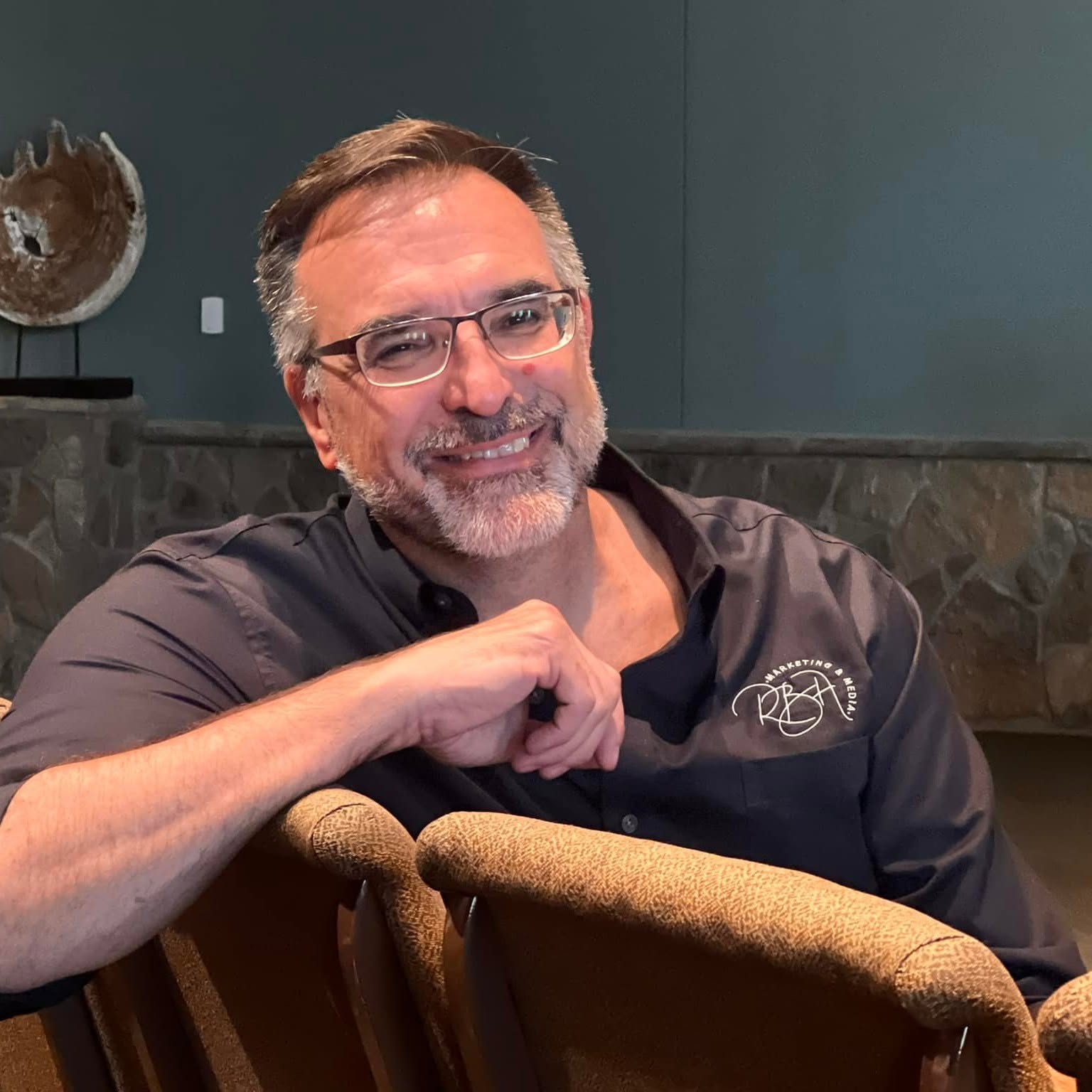
Who sets up your booking: Rich Benjamin, Sevierville TN
Rich Benjamin — Owner, RBA Marketing and Media
RBA Marketing and Media has built websites and run campaigns for East Tennessee tourism, real estate, and contracting businesses for more than a decade. As an authorized Media Lifeline Pro partner, Rich and his team set up your booking calendars, write your reminder copy, and support it from right here in Sevierville, Tennessee.
Published · Last updated . Partner pricing on Media Lifeline Pro is available through December 31, 2026.
ALSO INCLUDED
Works with the rest of Media Lifeline Pro
Contact Management
Every booking and attendee becomes a contact you can market to later.
See how contact management worksEmail & Text Newsletters
Send reminders and follow-ups that keep your calendar full.
See email & text newslettersAutomation & Reviews
Turn every booking into an automatic follow-up and review request.
See automation & review requestsSEE IT FOR YOURSELF
Book a 30-minute demo
We'll pull up Media Lifeline Pro, plug in your actual business, and show you exactly where your leads are leaking today. You get a written follow-up summary within one business day whether you move forward or not.
30 minutes · Screen share